Electrical Source
The Electrical Source block can be used to quickly and easily the different types of electrical signal to your Breathe Simulate.
This can make it easy to simulate current pulses, power-defined drive cycles, or constant-voltage behaviour, as examples.
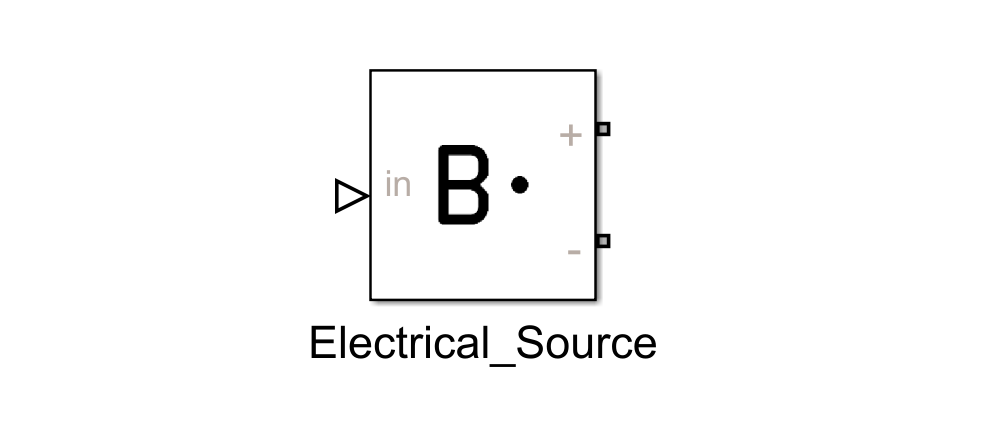
Specifying the source Mode
The Electrical Source block has a single parameter which must be defined, Mode.
The value of Mode set corresponds to the signal type which is output from the Electrical Source block.
Specifying a value of 0, 1, or 2 will determine the signal type:
| Value | Source type | Units |
|---|---|---|
| 0 | Current (default) | A |
| 1 | Voltage | V |
| 2 | Power | W |
Defining the Mode graphically
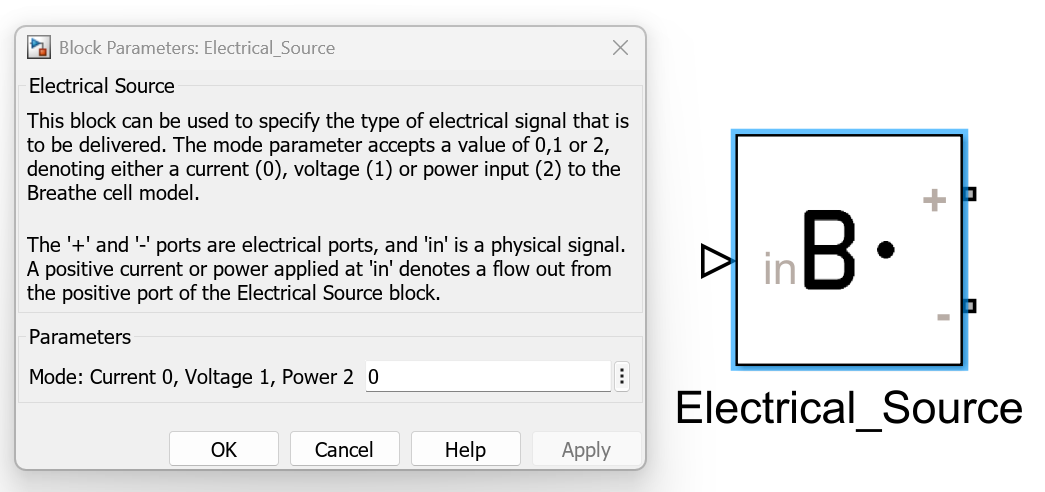
The Mode can be set in Simulink by:
- Double clicking on the
Electrical Source, revealing theBlock Parameters. - Under the
Parametersfield, specifying the value of the mode desired (see table above). - Click
OKto save the selection and close theBlock Parameters.
Specifying the magnitude of signal
There is a single input to the Electrical Source block, the value of which determines the magnitude of electrical signal (in SI units of the Mode specified, as defined in the table above).
The input to the Electrical Source block must be a Physical Signal meaning Simulink sources or other blocks must be converted into an input type of Simscape physical network.
This can be done by simply using the Simulink-PS Converter utility, which is part of the Simscape library.
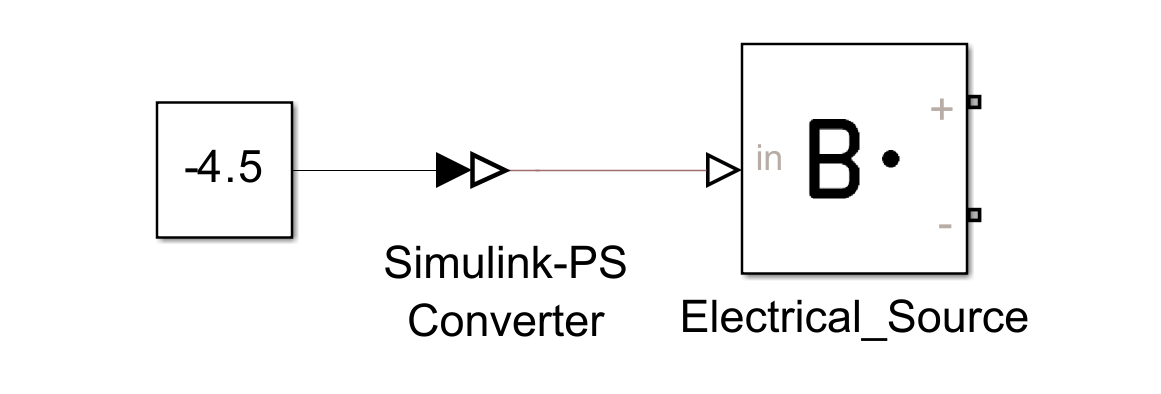
In the image above, a Constant block set to -4.5 is connected to the Simulink-PS Converter, which is then connected to the input of the Electrical Source. With our Electrical Source Mode set to 0, this would result in the Electrical Source drawing -4.5 A of current.
Outputting the electrical signal
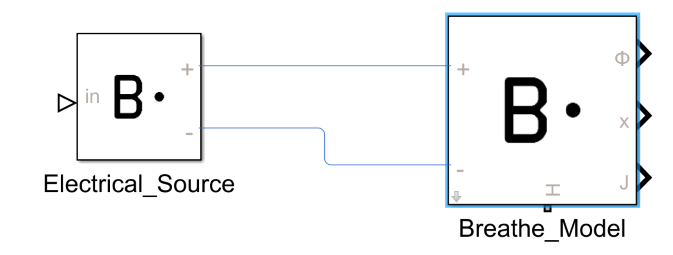
The ports of the Electrical Source block are the two electrical ports, labelled as + and -. These can be connected directly to Breathe Simulate to the matching ports.
As Electrical Source and Breathe Simulate are both Simscape blocks, connecting these ports can be thought as analogous to connecting wires between these two entities.
Worked example link
Refer to Discharge Demo to see the Electrical Source block in action.